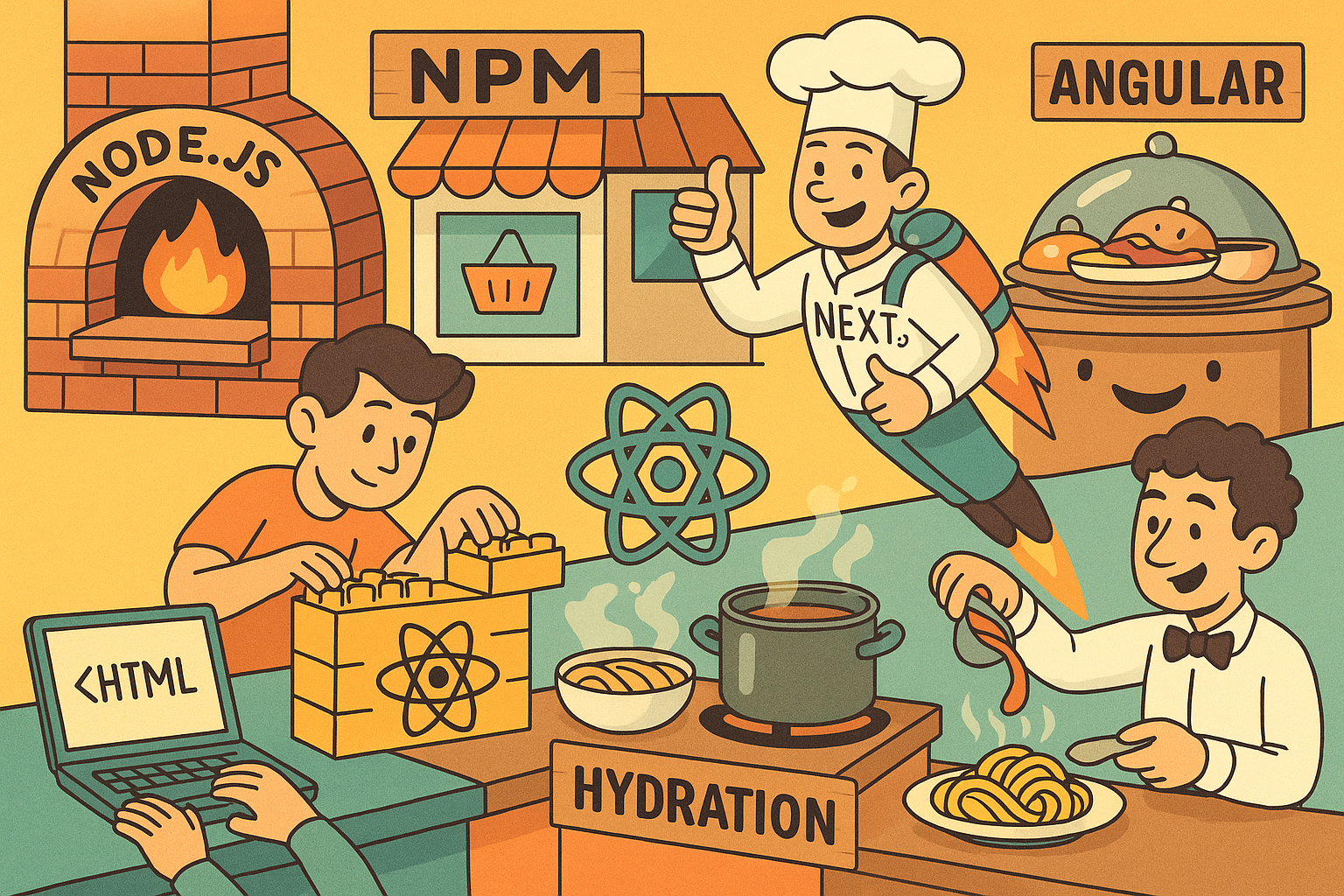
Once upon a time, websites were simple.
You clicked a link, the browser asked the server for a brand-new HTML file, and everything reloaded — like rebooting your computer just to open a folder.
Then JavaScript came along, and suddenly websites started acting like apps.
But to understand how we got from the good old <blink> tag to Next.js, we need to walk through the family tree — npm, Node, React, Angular, and the mighty SSR vs CSR showdown.
🧱 Step 1: Node.js — when JavaScript moved out of the browser
Node.js gave JavaScript its freedom.
Before Node, JS could only live inside the browser.
With Node, it could finally run on your laptop, your server, or your toaster if you try hard enough.
That’s why every tutorial begins with “install Node.js” — it’s basically saying:
“Let’s give JavaScript a house to live in.”
📦 Step 2: npm — the neighborhood grocery store for code
npm is the Node Package Manager, but really it’s the grocery store where developers buy ingredients.
Need React? npm install react
Need to spice it up with TailwindCSS? npm install tailwindcss
npm doesn’t judge; it just delivers.
⚛️ Step 3: React — build your site like LEGO
React lets you build your website from tiny reusable pieces called components.
Each piece is self-contained — your button doesn’t care how your navbar feels today.
You write it using JSX, a fancy blend of JavaScript and HTML.
When you’re ready to go live, webpack and Babel translate all that JSX into plain JavaScript the browser can understand.
React apps are Single-Page Applications (SPAs):
one index.html, one giant main.js, and endless possibilities.
Click a button, React swaps components in and out — no full reloads.
🅰️ Step 4: Angular — the all-inclusive resort
If React is a box of LEGO, Angular is an entire theme park — tickets, rides, food, and security included.
It tells you exactly how to structure your app and gives you every feature built-in: routing, forms, dependency injection.
Great for big companies; a bit much for your weekend hobby site.
🚀 Step 5: Next.js — React with a jetpack
Next.js looked at React and said:
“You’re amazing, but your first impression is slow.”
So it added Server-Side Rendering (SSR) and Static Site Generation (SSG) — fancy ways of saying:
“Let’s do some of the hard work before the browser even wakes up.”
🍽️ SSR vs CSR — who does the cooking?
Imagine ordering a pizza.
| Type | Who cooks it | What happens |
|---|---|---|
| CSR (Client-Side Rendering) | The browser | You get dough, sauce, and a recipe. The browser cooks everything. |
| SSR (Server-Side Rendering) | The server | The chef sends a hot pizza, ready to eat. |
| SSG (Static Site Generation) | The server yesterday | The pizza was baked in advance and stored in the fridge. Super fast delivery. |
CSR (React) is great once the app is running, but that first bite takes time — your browser must download all the JS, cook it, and then serve it to you.
SSR (Next.js) flips that: the server cooks the first page and sends HTML immediately.
💧 Hydration — making the static page come alive
When an SSR page arrives, it looks perfect — but it’s frozen.
The buttons don’t work yet, the dropdowns are lifeless.
So the browser quietly downloads the JavaScript bundle for that page and hydrates it — meaning it attaches event listeners and re-activates your React components.
Think of hydration as the waiter pouring sauce over a dish that’s already plated —
it looks ready when it arrives, but only becomes flavorful once hydrated.
⚙️ What happens behind the scenes
Let’s say your user opens /dashboard on a Next.js site:
- Server renders
/dashboardto HTML → sends it to the browser. - Browser shows the HTML instantly → user sees real content (fast first paint).
- Browser downloads only the JS needed for this page — not the entire site.
- Hydration begins → the dashboard buttons, charts, and filters become interactive.
- Next.js router activates → the site now behaves like an SPA.
When the user later clicks /reports:
- The app fetches only the small JS chunk for
/reports. - No page reload — just instant swap.
- Meanwhile, while the user’s reading the dashboard, Next.js may prefetch a few nearby pages quietly in the background — just in case.
⚡ Why this combo rocks
✅ Fast first paint — thanks to SSR.
✅ Smooth navigation — thanks to SPA behavior after hydration.
✅ Smaller initial downloads — only the JS you need for that page.
✅ Scalable — combine SSR, SSG, and CSR depending on how dynamic each page is.
It’s the web equivalent of cooking the first bite for you, then handing you the pan so you can sauté the rest yourself.
🔁 TL;DR — the Circle of Web Life
- Node.js — the kitchen
- npm — the grocery store
- React — the ingredients
- Angular — the buffet restaurant
- Next.js — the private chef that cooks the first course (SSR), hands you the tools to finish the rest (CSR), and stores leftovers for tomorrow (SSG).
- Hydration — the magical process that brings your food (HTML) to life (JavaScript)
When someone asks “Is your app SSR or CSR?”
just smile and say,
“Both. The server makes the first impression, the browser keeps the conversation going.”
And that’s how modern websites learned to cook — fast, dynamic, and a little bit magical.